Showing posts with label CRM 2011. Show all posts

1.19.2012

Book Review: Microsoft Dynamics CRM 2011 New Features by Jim Wang and Darren Liu

I've been meaning to post my review of this new book by Jim Wang and Darren Liu, but it's been a very busy few months for me. Apologies to Jim and Darren for the delay! On with the review:

by Jim Wang and Darren Liu
(Disclosure: I know Jim and Darren through Microsoft's MVP program. Jim is a current MVP, and Darren is now working for Microsoft - otherwise he'd probably still be an MVP for CRM.)

I've got to admit that when I first heard about Jim and Darren's book on the new features in CRM 2011, I anticipated that the book might be 50 or 75 pages - after all, in my book, the Dynamics CRM 2011 Bible, I only dedicated about 10 pages to covering the new features that distinguish CRM 2011 from the previous version, CRM 4.0. So I was surprised and curious when I discovered that the book is actually 288 pages in total.

The book is available from Packt Publishing, and is actually includes in-depth information that goes well beyond describing the new features of CRM 2011 as it goes into some detail on how to take advantage of the new features in the platform. It walks the reader through an "XRM" scenario (where "X" can stand for anything, not just "Customer" relationship management). A better title might have been "Exploring the New Features of CRM 2011." But I won't quibble with titles.

Starting with the first chapter, the reader is guided through setting up a development environment so he or she can follow the authors through the process of building out their sample XRM scenario, an "Airline Compensation Management" (ACM) solution. This is a great example of how the CRM platform has evolved well beyond traditional Customer Relationship Management, and can provide a foundation for a wide variety of business applications.

Chapter 1 (Setting up the Development Workspace) covers the tools and software you'll need to have in place to practice what you learn in the book. Chapters 2 & 3 guide you through the initial configuration and setting up some sample data. Chapters 4 through 9 cover programming the ACM solution (client-side and server-side), integrating with SharePoint, layering on some BI with charts and dashboards, and even implementing an integrated portal in Azure. The final chapter helps the reader understand the solution framework and how to use solutions for transporting your customizations between environments.

I found the book easy to follow and clearly written. Jim and Darren do a great job of sharing some of the insider tips they've learned through years of experience with CRM and calling the reader's attention to important tips and idiosyncracies of working with CRM 2011. There are many helpful screenshots and illustrations along the way.

In particular, I found Chapters 5 & 9 to have some great content for developers who are familiarizing themselves with CRM 2011. Chapter 5 has a nice diagram that explains the mechanics of plugins and a useful introduction to the concept of plugin development. Chapter 9's walkthrough of adding buttons to the ribbon, which includes sample code, should be a big help to everyone who has fought the valiant fight with the CRM 2011 ribbon!

All in all, Jim and Darren have done a great job in packing a lot of content into this book and showing a nice real-world example for building a solution on top of CRM 2011. You definitely get a good understanding of the new features in CRM 2011, but you also will learn how to start using them for your own business applications!

Again, I wish I could have gotten around to posting this review sooner, but if you haven't yet availed yourself of this resource, it will make a great companion to the Dynamics CRM 2011 Administration Bible ;-)

12.19.2011

Follow my latest blogs at ClickDimensions

I recently joined ClickDimensions as the Chief Customer Officer, and have started blogging there. The blog includes a ton of great CRM-related tips and articles, especially about marketing with Dynamics CRM.

I actually reviewed ClickDimensions' solution back in April 2011, so I'm thrilled to now be part of the team. The ClickDimensions solution is an amazing piece of software - well, actually, many pieces of distributed services in the cloud that tie into the native CRM platform where they are easily used by marketers and salespeople. Read my review to learn more about what it does. (And they've added a ton of new features since I wrote it!)

If you're interested in email marketing, marketing automation, and getting ROI out of your Dynamics CRM system, check out their product tour.

5.03.2011

Join me at Decisions Spring 2011 Virtual Conference on June 17

I'll be presenting a session for CRM administrators at the upcoming Decisions Spring 2011 virtual conference on June 17, hosted by MSDynamicsWorld.com: What CRM Administrators Need to Know About CRM 2011. I'll cover the most important technical considerations that administrators need to be familiar with when considering implementing or upgrading to CRM 2011.

MSDynamicsWorld.com Decisions Spring 2011

MSDynamicsWorld.com has been hosting these semiannual events for a couple of years now, and they are tremendous, free resources for learning and networking. The conference kicks off on Tuesday, June 14, with sessions dedicated to Dynamics AX. The 15th is focused on GP, the 16th on NAV, and the 17th on CRM.

You'll have the opportunity to ask questions of the presenters via live chat, and interact with other attendees and experts in a virtual networking lounge.

To register: https://presentations.inxpo.com/Shows/MSDynamics/06_11/Registration/Decisions06_11RegistrationPage.html?AffiliateKey=13512&AffiliateData=BLOG

4.05.2011

Marketing Pro? You need to read this!

I've been working in the Microsoft Dynamics CRM industry for, oh, seven years now. Since Microsoft first released the product. The first implementation of CRM that I did for a customer was with version 1.2 way back in 2004. In very short order, my customer and I found that there were, shall we say, gaps in the product's functionality. Back in those early days the options for filling these gaps were pretty limited.

There was one fellow that was doing some pretty smart work, and whose company's products made my life as a systems integrator that much easier. Fast forward to 2011, and the Microsoft CRM ecosystem has matured along with the product itself. But that same gentleman is still offering solutions that make my life easier - and making the CRM projects I work on able to deliver that much more value to my clients. That person would be John Gravely, who last year started a new company called ClickDimensions.

ClickDimensions is a great example of a cloud-based, seamlessly integrated solution that delivers real value to CRM marketers. If you're familiar with Google Analytics, imagine having that data driven directly into your CRM system and tied to existing leads or contacts. And wouldn't it be great if you could generate rich, HTML emails for CRM marketing campaigns? Imagine being able to see when someone clicked on an email you sent, visited your site and spent some time reading a few pages - right inside CRM.

Want to know if your social media campaign is paying dividends? What about if it's the right time to call an important prospect? Or if several of your competitors are lurking on your website? Would that be valuable to you as a professional marketer?

(A diagram of ClickDimensions' integration with your website's forms - tying the power of the Cloud into your marketing!)


(They also have a great blog: http://clickdimensions.typepad.com/clickdimensions/)

Full disclosure: I need to point out that my company, C5 Insight, is a reseller partner for ClickDimensions - but we wouldn't be reselling their solution if we didn't believe in its value and power.

3.08.2011

Upgrade Paths for Microsoft Dynamics CRM 2011

You may have heard that Dynamics CRM 2011 requires 64-bit architecture. This is true and is giving some folks some heartburn when they start to think about upgrading their CRM 4.0 deployments, many of which are still living in a 32-bit world.
There are three potential upgrade paths, as well as another alternative that I would urge you to consider. Let’s take a look.
2011upgradepaths

In-Place Upgrade

An in-place upgrade is pretty straightforward: You’ve got an existing CRM 4.0 system that is running on hardware and software that is supported for CRM 2011. You fire up the setup.exe for CRM 2011 and it detects that CRM 4.0 is in place and asks if you want to proceed with an upgrade.
PROS: Straightforward, no need to lay out money for new hardware.
CONS: Risky – if the upgrade fails, you need to know how to roll back to your backups; Disruptive – while you’re upgrading, your users won’t be able to access CRM.

Upgrade Database During Install

In this scenario, you install CRM 2011 to a new 64-bit application server, and connect to a SQL server with an existing CRM 4.0 database. The 4.0 database will be upgraded during the install. This is a decent option if you’ve already got your SQL database on support hardware and SQL versions. It’s a little easier to recover from in case of failure than an in-place upgrade, since all you need to do is restore your databases.
PROS: Leverages your investment in 64-bit SQL hardware/software; once-and-done installation if you succeed.
CONS: Similar risks to the in-place upgrade though perhaps slightly less disruptive to end users.

Upgrade via Import

This is my preferred manner for upgrade. Essentially you build a new 64-bit environment for a clean install of CRM 2011 – the application servers and database servers are brand new and without remnants of CRM 4.0. After you’re satisfied with your new CRM 2011 environment, you simply restore a backup of your 4.0 database to the 2011 SQL Server, and then, using the CRM 2011 Deployment Manager, import the 4.0 org database into your new deployment. I’ve done this several times now, and it works like a charm, upgrading the org during the import process.
PROS: Nice, new, bug-free 2011 environment; opportunity to perform upgrade tests multiple times before your “go-live” upgrade; no disruption to users.
CONS: This is the most expensive scenario, requiring new hardware (or at least separate hardware) for the 2011 deployment. Also, you need to manually copy over things like supporting ISV files and applications that you may have had in place in your 4.0 environment.

Consider This

Lastly, I’d recommend that you evaluate CRM Online while considering your upgrade options. Now is a great time to take advantage of the improved functionality, affordability, and ease-of-maintenance that CRM Online provides.  If you have been managing a CRM 4.0 on-premises deployment, and want to move to the latest version of CRM, there are many good reasons to consider the cloud. C5 Insight can upgrade your database for you and then migrate your customizations and data to Microsoft’s data centers, allowing you to go back to running your business instead of running servers. Think about it!

Originally posted at my C5 Insight blog.

2.17.2011

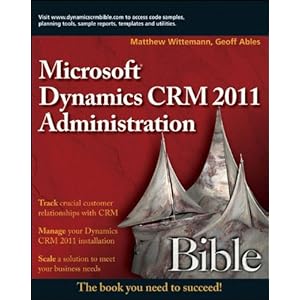
My Book is now Available! Dynamics CRM 2011 Administration Bible

Great timing, coming just one day after Microsoft released CRM 2011: I just received my very own copies of the book I co-authored with Geoff Ables, the Microsoft Dynamics CRM 2011 Administration Bible, from Wiley Publishing. It's now available for order from your favorite bookseller!

2.16.2011

CRM 2011 Released for On-Premise and Partner-Hosted Installation

Microsoft is moving quickly on the heels of the January release of CRM 2011 Online, and this week's release of the 2011 Implementation Guide and SDK, they have now released the RTM version of Dynamics CRM 2011 for on-premise and partner-hosted installation. Available from the Microsoft download site.

Complete SDK for CRM 2011 Released

For those of you who have been keeping score, Microsoft has been making available a number of pre-release versions of the SDK for CRM 2011. There was a Beta SDK and a Release Candidate SDK. The complete, official SDK for CRM 2011 has now also been released (version 5.0.1), and is chock full of good things for developers and customizers. It can be downloaded here.

2.10.2011

CRM 2011 Developer Training Kit

Microsoft has put together a very nice package to help developers learn how to extend Dynamics CRM 2011. The Dynamics CRM 2011 Developer Training Kit includes videos, presentations, code samples and hands-on labs with detailed instructions. Best of all: it's totally free. Read about it on Girish Raja's blog and then download it here.

1.26.2011

Building a Virtual CRM 2011 Server for Demos and Development

David Yack has done a great video tutorial on building a virtual server for CRM 2011 to use in development or for demos. Girish Raja posted it to his blog on MSDN. Take a look.

Nice work, David!

1.17.2011

CRM 2011 Online Released!

Microsoft today announced the immediate availability of CRM 2011 Online. According to the press release, CRM 2011 will be available for on-premise and partner-hosted deployment on February 28.

This is exciting news for those of us who have participated in the beta testing of this version of Microsoft Dynamics CRM 2011. CRM 2011 has a new solution framework to package and distribute customizations, an extremely enhanced Outlook client, and many more improvements.

The company is also offering significant incentives to customers who make the switch from salesforce.com. Having conducted several side-by-side comparisons of Microsoft CRM and salesforce.com for my clients, I feel very confident in saying that CRM 2011 offers a compelling and hard-to-beat solution that raises the bar for the entire CRM marketplace.

12.13.2010

Register Now for the CRM 2011 Launch

"Attend this FREE global virtual launch event and watch Microsoft CEO Steve Ballmer introduce Microsoft Dynamics CRM 2011. Learn how it is designed to help you boost sales, improve marketing, enrich customer service interactions, and accelerate line of business application development through xRM."
Register here.

9.13.2010

What Do You Want to Know About Integration?

I'm hard at work wrapping up final chapters of the Dynamics CRM 2011 Administrator's Bible with my co-author, Geoff Ables. One of the final chapters deals with integrating Dynamics CRM with other systems. Integration can mean a lot of things, and I think the chapter is shaping up to be informative and helpful.

But it occurred to me that you might have some good ideas and questions that you'd like answered. So, what do you want to know about integration? Leave a comment on this post to let me know.

Thanks!

9.09.2010

Ready for Beta?

7.14.2010

Microsoft Demos Dynamics CRM 2011

Microsoft unveiled the next version of Dynamics CRM at the Worldwide Partner Conference this week. They also announced the name of what has been referred to as version 5: Dynamics CRM 2011.

Some highlights of what they revealed:

  • A public beta will be available in September 2010, starting with CRM Online
  • CRM Online will continue to roll out internationally with the RTM release, becoming available in 40 countries
  • A new marketplace for pre-built solutions will be launched in September

Additionally, they demonstrated some of the features of CRM 2011 that have been the subject of much buzz:

  • Role-based forms and views
  • Inline visualizations
  • User-created dashboards
  • Guided dialogs (think of automated, real-time workflows with user input and feedback)
  • Tight SharePoint integration supported natively

 
ICU MSCRM © 2004-2009